Summary
Centralized alerts help WordPress agencies see earlier, prioritize better and respond with context across many client sites.
When an agency manages one WordPress site, an alert can wait a few minutes. When it manages 20, 50 or 100 installations, a late alert can become a client call, an incident without context or a decision made in the dark.
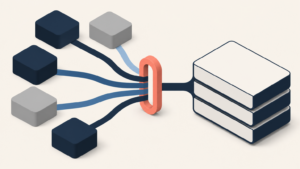
The problem is rarely a lack of tools. The problem is that signals live everywhere: plugin emails, warnings inside each wp-admin, hosting logs, uptime notifications, client messages and internal tasks. If nobody can see the picture in one place, the team cannot prioritize well.
For a WordPress agency, centralized alerts are not a technical luxury. They are a way to operate with fewer surprises, less noise and clearer accountability.
The important alert rarely appears alone
A single brute-force attempt may not be urgent. A file change may be legitimate maintenance. A pending plugin update may be able to wait if there is no real exposure. But when those signals appear together, the meaning changes.
The value of centralized alerts is context: which site is affected, which client depends on it, which controls are active, what happened before, who should respond and what evidence is recorded.
Without that view, the team works by arrival order instead of risk. In security, arrival order is not always what matters most.
WordPress needs process, not just reaction
The official WordPress hardening documentation makes a healthy point: security is not about eliminating risk completely. It is about reducing risk with reasonable controls, preparation and knowledge. It also recommends keeping WordPress updated, protecting access, managing permissions, maintaining backups, reviewing logs and monitoring changes.
That sounds obvious until an agency has to apply it across a real client portfolio. The question stops being “what should we do in WordPress?” and becomes “which sites are missing something, which alerts need action today and how do we prove it to the client?”.
That is where the site-by-site model breaks. Logging into each installation manually can work for occasional tasks. It does not work for continuous operational judgement.
Why knowing before the client changes the relationship
In WordPress maintenance, trust is earned before the monthly report. It is earned when the agency can say: “we saw it, we are reviewing it, and this is the action.”
If the client reports the issue first, the conversation starts in the wrong place. Even when the root cause is not the agency’s fault, the perception is that nobody was watching. If the agency reports first, the same incident becomes evidence of control.
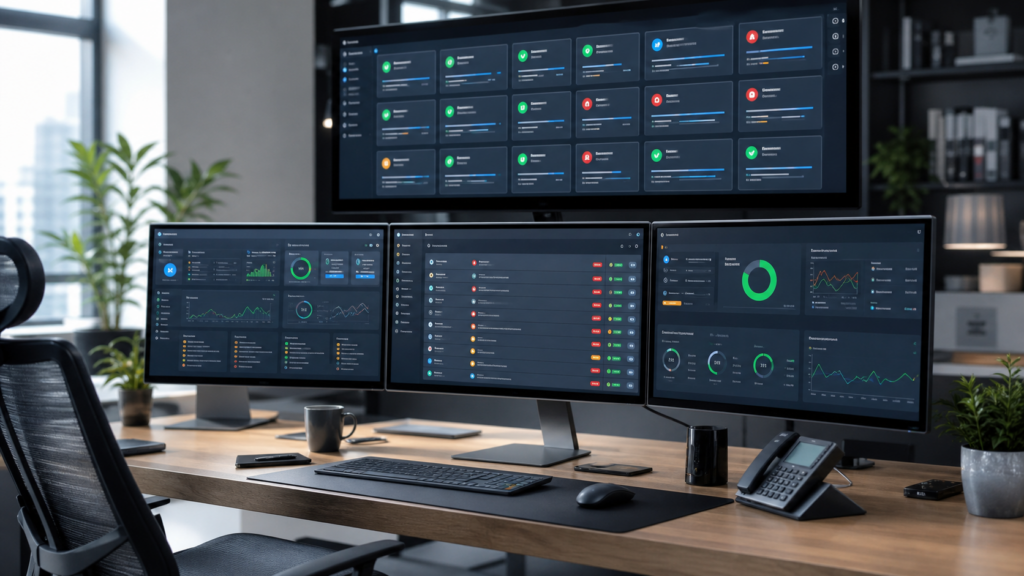
Centralized alerts help change that dynamic because they reduce dependence on individual memory. The process no longer lives only in the head of the person who “knows where to look”. It lives in a visible, prioritized and shared queue.
What alerts a WordPress agency should centralize
Not every signal deserves the same urgency. Good operations separate noise, warning and immediate action.
1. Access and suspicious activity
Repeated login attempts, user changes, new administrators, activity outside expected hours, IP changes and similar events do not prove an intrusion by themselves. But they help detect patterns before the issue becomes visible to the client.
2. File and configuration changes
WordPress recommends monitoring files and logs because attacks usually leave traces. In a client portfolio, the challenge is not only detecting changes. It is separating legitimate deployments, scheduled updates and unexpected modifications.
3. Hardening status
Login protection, XML-RPC controls, permissions, file editing, users, backups and other baseline controls should not be checked only after a problem. The agency needs to see where the baseline is incomplete and where it has changed.
4. Updates and actionable vulnerabilities
Not every update has the same priority. Wordfence reported in its Q1 2026 threat intelligence report that many disclosed vulnerabilities required unauthenticated access to exploit, and its 2024 annual report showed software vulnerability exploitation attempts gaining weight compared with purely password-based attacks.
The practical conclusion is not “update everything blindly”. It is inventory, context and prioritization: which plugin is affected, which sites use it, whether a patch exists, what the update might break and what needs to be checked afterwards.
5. Uptime, errors and visible symptoms
A 500 error, intermittent downtime or a broken checkout is not always a security incident, but it is an operational event. For an agency, security and continuity overlap: if a critical site fails, someone needs to see it quickly and know what to do.
Centralizing does not mean alerting everything
Poor centralization just moves noise from many sites to a larger screen. The key is to design useful rules:
- group repeated alerts by site and type;
- separate information from required action;
- mark severity by client, exposure and impact;
- record who reviewed the alert and what changed;
- turn important events into reporting evidence.
A good alert does not only say “something happened”. It says which site matters, why it matters and what the next reasonable step is.
A minimum workflow for agencies
An agency does not need to build a full SOC to improve a lot. It needs a clear operating workflow:
- Live inventory: sites, client, owner, criticality, stack and active controls.
- Unified alerts: login, suspicious activity, hardening, backups, relevant changes and availability in one shared view.
- Daily priority: review critical sites, actively exploited issues and high-impact clients first.
- Recorded action: keep a trace of review, decision and result.
- Simple communication: translate technical work into impact, action and status for the client.
That workflow reduces firefighting because it turns security into routine. And a well-designed routine is what lets an agency scale.
Where Vulnity fits
Vulnity is built for agencies and teams that need centralized visibility across many WordPress sites: alerts, suspicious activity, hardening, malicious IP blocking when applicable and client-friendly reporting.
It does not replace the agency’s technical judgement and it does not promise total security. It also should not be sold as an automatic detector of plugin, theme or core CVEs while that feature does not exist. Its value is reducing operational blindness: seeing earlier, prioritizing better and responding with more context.
If your team still depends on logging into sites one by one or waiting for a client to report the issue, the next step is not another isolated plugin. It is centralizing the signals you should already be watching.
Anti-overclaim checklist
- This post does not claim that Vulnity detects plugin, theme or core CVEs.
- It does not promise absolute prevention or total security.
- It positions Vulnity as centralized visibility, alerts, hardening, suspicious activity, malicious IP blocking when applicable and reporting.
- The CTA is based on a real operational need: knowing earlier, prioritizing and proving work.
Sources
- WordPress Developer Resources: Hardening WordPress
- Wordfence: Quarterly WordPress Threat Intelligence Report Q1 2026
- Wordfence: 2024 Annual WordPress Security Report
- CISA: Known Exploited Vulnerabilities Catalog
About Vulnity
If you manage WordPress sites, alerts like this become urgent operational work. Vulnity helps centralize visibility, review hardening, and react faster across your sites.