Summary
How agencies can use Wordfence Central plus a coverage, ownership, response and evidence workflow instead of reviewing every client site separately.
Short answer: a good alternative to managing Wordfence separately on every client website is to use Wordfence Central first, then add an agency workflow for coverage, ownership, response and evidence. You may not need to replace Wordfence. You do need to stop treating a dashboard or an email inbox as the operating process.
This guide is for agencies, freelancers and managed WordPress teams that already use Wordfence on several client sites. Vulnity publishes it, so it is not an independent comparison. Wordfence capabilities below come from its official documentation; the coverage → queue → owner → response → evidence model is editorial judgement. Features and plan boundaries can change, so verify them in your own account before changing a production workflow.
Published and reviewed on August 26, 2026.
The first alternative is Wordfence Central, not necessarily another plugin
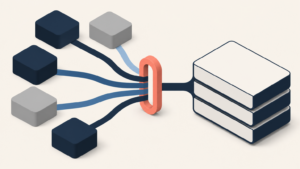
Wordfence documents Central as a single interface for managing the security of many WordPress sites. Its current help pages cover connected-site dashboards, connection issues, alert settings, configuration templates and team access. That directly addresses much of the repeated work created by opening each WordPress admin area separately.
This matters because the premise “Wordfence must be reviewed site by site” is incomplete. If the agency already has Wordfence deployed consistently and the main pain is navigation, Central is the lowest-disruption option to test first.
Centralization, however, does not automatically create incident operations. A consolidated screen can show findings while still leaving four questions unanswered: Is every contracted site reporting? Who owns this item? What response is allowed? What evidence proves closure?
Three operating models, with different trade-offs
| Model | Use it when | What it solves | What remains to design |
|---|---|---|---|
| Wordfence Central only | Most sites use Wordfence and one small team handles review. | Consolidated visibility, connection status, shared configuration and access to Wordfence events. | Priority rules, case ownership, client decisions, evidence retention and signals outside Wordfence. |
| Central plus an agency work queue | The team needs assignments, service levels and repeatable hand-offs without replacing the security layer. | Separates observation in Wordfence from accountable response in a ticket or case workflow. | Reliable event transfer, deduplication, closure reasons and links back to source evidence. |
| Cross-site security operations layer | The service combines Wordfence with hosting, identity, activity-log or other WordPress signals. | One portfolio workflow for coverage, triage, ownership, controlled response and reporting. | Product boundaries: Wordfence scanning and firewall functions do not become interchangeable with every other control. |
Editorial judgement: choose the smallest model that makes missing coverage and unresolved work visible. Replacing a functioning local control merely to obtain a different dashboard creates migration risk without necessarily improving response.
What Wordfence Central can establish
Connected-site and connection visibility
Wordfence’s connection documentation explains how sites are added to Central and describes a Connection Issues view. That is an important control: a disconnected site must not look like a quiet site. Your agency inventory should reconcile contracted sites against connected sites and record the last successful check.
Configuration templates
Central templates let teams manage Wordfence configuration for multiple sites from one page and copy a site’s settings to other sites. Templates reduce configuration drift, but they are not a reason to impose one profile everywhere. Commerce, membership, publishing and brochure sites may need different baselines and documented exceptions.
Teams and shared access
Wordfence Central Teams supports multiple users managing sites under one account. The documentation says team members can start scans, view scan results and security events, and manage individual-site and template configuration. Test the actual permissions your plan exposes; shared access is useful only when individual accountability and client separation remain clear.
Alert routing
Central’s settings documentation covers alert channels and security events such as an administrator login, Wordfence being updated or deactivated, and increases in attacks. Decide which events create cases, which remain dashboard context and which are suppressed. Sending everything to email recreates the same queue in a noisier form.
The five-stage agency workflow
| Stage | Required output | Failure signal |
|---|---|---|
| 1. Coverage | Every in-scope site has a client, owner, connection state, last-seen time and expected policy. | A site can disappear from monitoring without opening work. |
| 2. Queue | Events become a deduplicated list with site, time, source, severity rationale and evidence link. | The same campaign creates dozens of emails with no portfolio view. |
| 3. Owner | Each investigable item has one accountable person, deadline and escalation path. | Everyone can see it, so nobody owns it. |
| 4. Response | The technician follows an approved action: investigate, contain, request a client decision, accept risk or close as expected activity. | A global automated action can disrupt several client sites without staging or rollback. |
| 5. Evidence | The case records what was observed, what changed, who approved it and how the result was verified. | Closure means only that an email was archived or a badge disappeared. |
OWASP’s Logging Cheat Sheet recommends that event records capture when, where, who and what, while excluding secrets such as passwords, access tokens and session identifiers. It also explains why application logs can provide context that infrastructure logs lack. For an agency, that supports preserving the source and confidence of an event instead of flattening every alert into one opaque score.
NIST SP 800-61 Rev. 3 treats incident response as part of cybersecurity risk management. The practical implication here is editorial, not a Wordfence feature claim: detection, response and improvement should be connected, rather than handled as unrelated plugin notifications.
A reversible three-site migration test
- Select three representative sites. Use a simple brochure site, a commerce or booking site and a membership or portal site. Prefer staging for controlled tests.
- Reconcile scope. Compare the client contract, site inventory and Central connection list. Record missing sites and intentional exclusions.
- Create two policy classes. Apply a conservative baseline to two sites and document one justified exception on the third. Verify that the exception is visible and reversible.
- Generate one safe known event. Use an event Wordfence officially documents and that can be produced without harming production. Follow it from source to notification, owner and closure.
- Simulate a coverage failure. Disconnect or pause a test connection. The workflow should create visible work instead of reporting zero events.
- Test a hand-off. Ask a second technician to explain what happened, the evidence used, the action taken and what remains open.
- Measure residual work. Count the steps that still require opening individual sites, copying evidence, checking another console or asking the client.
Compare the before and after workflow on time to identify the affected site, time to assign an owner, duplicate notifications, unresolved items, invisible coverage gaps and evidence completeness. Do not treat fewer alerts as success unless coverage is unchanged or better.
When should an agency go beyond Wordfence Central?
Stay with Central alone when Wordfence is the main security control, the portfolio is standardized and the team can reliably own and document work around it. Add a work queue when assignments, approvals and closure evidence are the missing layer. Evaluate a broader platform when the agency needs to correlate Wordfence with other WordPress or infrastructure signals, govern hardening across site classes, separate clients, or produce security evidence from one operating process.
Vulnity supports centralized WordPress security signals, real-time alerts, hardening, reporting, agency/client workflows and malicious-IP blocking when applicable. This is first-party product scope, not evidence that Vulnity is a universal replacement for Wordfence.
Vulnity does not detect CVEs or identify vulnerable plugins, themes or WordPress core. It does not replace Wordfence’s firewall or malware scanner, vulnerability intelligence, backups and restoration, hosting controls, identity systems or forensic investigation.
Connect the workflow to the rest of the portfolio
If tool selection is still open, use the neutral guide to choosing a WordPress security platform for an agency. To define the queue, see the workflow for centralizing WordPress security alerts. To test one high-volume signal class, use the guide to monitoring suspicious logins across a client portfolio.
Conclusion: centralize the decision, not only the screen
The fairest alternative to reviewing Wordfence site by site is often Wordfence Central itself. It reduces navigation and provides documented tools for connections, templates, teams and alerts. The agency still needs an operating contract that turns those signals into owned, controlled and verifiable work.
Start with three sites. Make one event and one connection failure visible. If another technician can reconstruct the case without opening several inboxes and dashboards, the workflow is improving. If a disconnected site can look healthy or an alert can remain ownerless, the central screen has not yet become central operations.
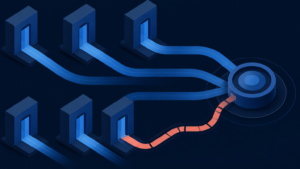
Centralized security should make coverage, ownership, response and evidence visible across the portfolio.
See how Vulnity supports centralized WordPress security operations →

About Vulnity
When a WordPress vulnerability matters, speed and inventory matter. Vulnity helps agencies coordinate reviews, hardening, and response across multiple sites.