Summary
A WordPress agency cannot scale with spreadsheets and memory. It needs live inventory, centralized signals and reporting to decide which site to review first.
When an agency manages ten, twenty or fifty WordPress sites, the problem rarely starts with one dramatic technical decision. It starts with a quieter question: do we actually know what is installed, what changed and which site needs attention first?
A spreadsheet can help at the beginning. So can an internal board, a client list or the memory of the team. But as the portfolio grows, inventory stops being documentation and becomes part of security operations.
Inventory is not a static list
A useful inventory is not just domain, hosting, WordPress version and owner. Those details matter, but they are not enough. To operate WordPress security seriously, inventory has to answer questions that change every week:
- Which sites have components that need review.
- Which installations had relevant changes.
- Where there are suspicious activity signals or weak configurations.
- Which clients carry more exposure because of volume, criticality or maintenance gaps.
- Which issues need human action and which only need monitoring.
The difference looks small, but it changes the workflow. A static list tells you what you thought you had. A live inventory helps you decide what to do today.
The real risk usually sits outside core
The official WordPress security documentation emphasizes keeping core, plugins and themes updated, choosing maintained extensions and securing the hosting environment. That is the right baseline, but in a real client portfolio the hard part is not knowing that advice exists. The hard part is applying it consistently across every site.
Recent ecosystem reports point in the same direction. Patchstack, in its State of WordPress Security in 2026, places most newly reported vulnerabilities in plugins and themes rather than WordPress core. Wordfence, in its Q1 2026 threat intelligence report, also describes a high volume of disclosed vulnerabilities, brute-force traffic and malware across WordPress sites.
The conclusion for an agency should not be panic over every CVE. It should be more practical: if risk lives across many components and many clients, you need centralized visibility to know where to look first.
What breaks scale is fragmentation
Work becomes fragile when every signal lives somewhere else: a hosting notice, a client email, a plugin alert, a support note, a screenshot in Slack, a technician remembering that one site was sensitive.
That model works while volume is low and the same person holds everything in their head. Past a certain point, it creates three problems:
1. Slow prioritization
If you cannot see all sites together, you end up prioritizing by noise: the client who writes first, the alert that sounds most severe or the site someone remembers. That does not always match real risk.
2. Weak reporting
When a client asks what happened this month, the agency needs evidence: reviews, changes, handled alerts, hardening, decisions and pending items. Without live inventory, reporting is rebuilt by hand and arrives late.
3. People-dependent response
If only one person knows that a site has a special configuration, a sensitive plugin or a history of issues, the operation depends too much on human memory. That does not scale, and it is not fair to the team.
What a live inventory should show
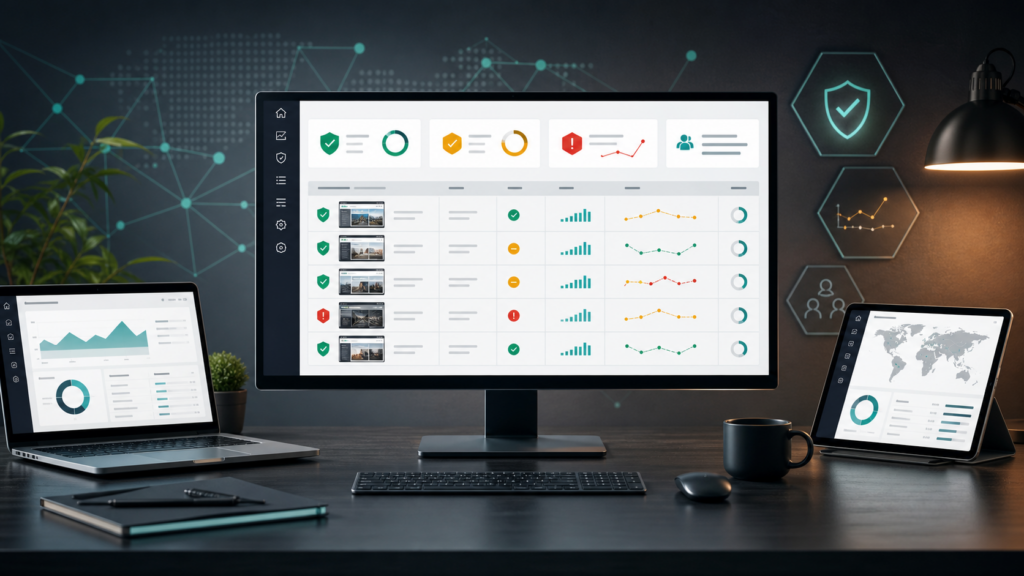
For a WordPress agency, a good operational inventory should combine technical data with decision context. Not everything needs to become an alarm; the team needs to scan, compare and act.
- Site status: which installations need review and which are in a normal state.
- Security signals: suspicious activity, relevant changes, events worth investigating or malicious IP blocking when it applies.
- Hardening: configurations that reduce attack surface and need to stay consistent.
- Responsibility: what belongs to the agency, the client, the host or an external provider.
- History: what was reviewed, what was done and what is documented for the next report.
Where Vulnity fits
Vulnity should not be framed as a magic promise of total security or automatic CVE detection for plugins, themes or WordPress core. That would not be honest.
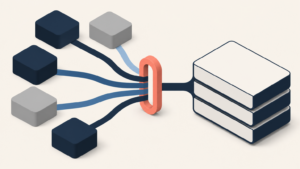
The real value is different: turning a fragmented WordPress portfolio into a centralized operational view. One place where an agency can see signals, alerts, suspicious activity, hardening status, malicious IP blocking when it applies and reporting that both clients and internal teams can understand.
That changes the commercial conversation. Instead of selling “maintenance” as a black box, the agency can show evidence of operations: what is monitored, what is prioritized, what is reviewed and what needs a decision.
Anti-overclaim checklist
- Do not claim that Vulnity detects CVEs in plugins, themes or WordPress core.
- Do not promise absolute prevention or total security.
- Do not invent metrics, customers, certifications or integrations.
- Present Vulnity as centralized visibility, alerts, hardening, suspicious activity, malicious IP blocking when it applies and reporting.
CTA
If your agency already manages enough WordPress sites to rely on spreadsheets, memory and scattered alerts, you probably do not need more noise. You need a shared view for decisions. Try Vulnity and see what it feels like to operate a WordPress portfolio from a panel built for realistic security work.

About Vulnity
Keeping WordPress secure requires continuous operational visibility. Vulnity helps monitor suspicious activity, alert on relevant changes, and keep response evidence in one place.