Summary
Managing many WordPress sites does not scale site by site. A practical agency checklist for inventory, backups, alerts, hardening, updates and reporting.
Managing five WordPress sites can still work with memory, a calendar and discipline. Managing 25 is different. At that point, the problem is not knowing that plugins need updates, backups need checks or alerts need attention. The problem is turning all of that into an operation that does not depend on remembering, opening every site manually and reacting only when a client reports trouble.
For a WordPress agency, security and maintenance stop being a list of technical tasks and become a visibility problem: which sites exist, what changed, what needs action, who reviewed it and how it can be explained to the client without drowning them in jargon.
This checklist does not promise total security. It helps you understand whether your minimum operation is ready for a real portfolio.
1. A living inventory, not a forgotten spreadsheet
The first sign of an immature portfolio is not being able to answer basic questions quickly: how many sites are under management, which ones are critical, which plugins they share, which sites handle ecommerce, which clients have stricter expectations and where old access should be reviewed.
A useful inventory should include at least:
- Domain, client, internal owner and site priority.
- Site type: corporate, ecommerce, membership, landing page, intranet or legacy project.
- Core, plugin and theme status.
- Active backup, frequency and last tested restore.
- Basic controls: 2FA, hardening, login protection and administrator users.
- Alert channel and person responsible for review.
The key is keeping the inventory alive. If it only gets updated after an incident, it is no longer an inventory. It is a postmortem.
2. Updates with context, not blind bulk changes
Updating is necessary, but updating without context can break forms, checkouts, bookings or third-party integrations. The minimum agency routine should not be “update everything and move on”. It should classify risk and verify what matters.
Before touching a portfolio, separate three groups:
- Critical sites: ecommerce, lead generation, bookings, payments or sensitive clients.
- Standard sites: corporate websites and blogs with predictable dependencies.
- Legacy sites: older installations with outdated plugins, heavy builders or custom changes.
After updates, checks do not need to be huge, but they do need to be consistent: homepage, login, forms, checkout if present, visible errors, backup status, user activity and new alerts.
3. Backups you can prove
Many agencies say “we have backups”. The operational question is more precise: from what date, stored where, restorable by whom, how long would recovery take and when was the last restore tested?
A backup nobody has tested is a technical hope, not an assurance. For WordPress portfolios, the reasonable minimum is to track frequency, location, retention, last run and periodic restore tests on representative sites.
4. Centralized alerts so the client is not your monitoring system
When every site sends warnings in its own way, alerts get lost. One plugin email, one dashboard notice, one hosting message and one suspicious login alert do not form an operation if nobody sees them together.
Centralizing alerts does not mean reacting to everything. It means comparing, prioritizing and spotting patterns: repeated login attempts across several sites, recurring IPs, incomplete hardening, user changes or unexpected activity after an update.
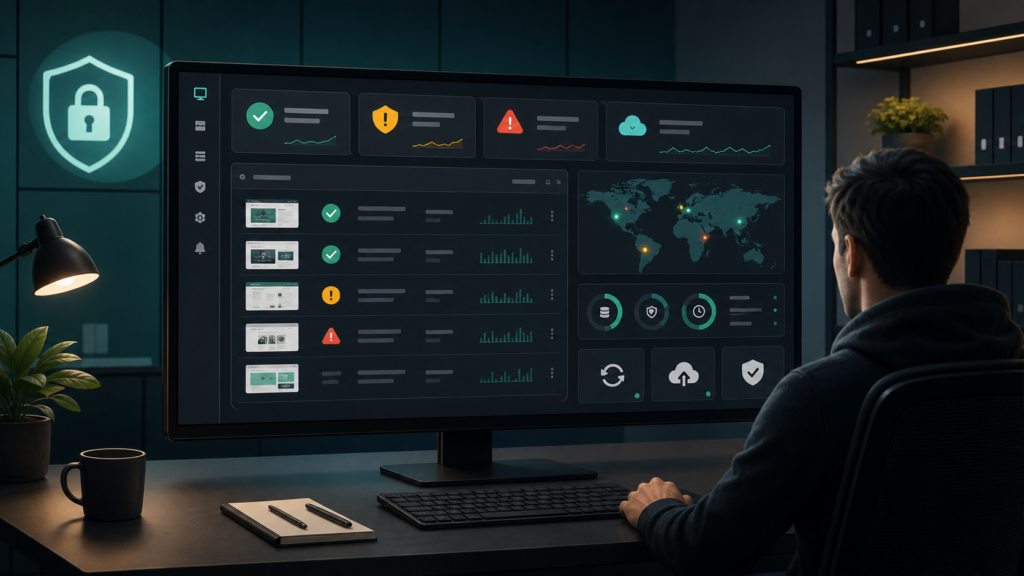
The difference between noise and operation often comes down to one question: can you see the portfolio status without opening 25 tabs?
5. Verifiable hardening
Hardening should not live as a list of good intentions. Some measures are basic: protect login, review XML-RPC when it is not needed, limit unnecessary enumeration, control permissions, reduce administrator users, apply 2FA where it makes sense and remove unused plugins and themes.
WordPress.org emphasizes keeping WordPress, plugins and themes updated as a security foundation, and its hardening documentation explains that any system can face issues when basic precautions are missing. For an agency, the hard part is not knowing those measures. It is knowing where they are missing.
6. Evidence for reports and difficult conversations
A client does not buy “we checked some things”. They buy confidence backed by evidence: what was reviewed, what was updated, what was blocked, what remains pending and which recommendation makes business sense.
A useful client report should separate:
- Actions performed.
- Relevant alerts and response applied.
- Pending risks explained in business language.
- Prioritized recommendations.
- Overall portfolio status.
This also helps the agency: it reduces friction, justifies maintenance work and turns invisible work into visible trust.
7. A weekly routine that does not depend on one person
A checklist only matters if it repeats. A minimum weekly routine for 25 WordPress sites can stay simple:
- Review a central status and alert view.
- Prioritize critical sites with pending changes.
- Confirm recent backups and visible errors.
- Apply updates by risk group.
- Check key flows after changes.
- Record actions and pending work.
- Prepare a summary for the client or internal owner.
The goal is not bureaucracy. The goal is an operation that survives holidays, urgent work, team changes and weeks with too many tickets.
Where Vulnity fits
Vulnity is built for agencies and teams managing several WordPress installations that need to move away from manual site-by-site review.
Its role is to centralize visibility, alerts and operational actions: understand the status of a portfolio, detect suspicious activity, review hardening, block malicious IPs when applicable and prepare clearer reporting for clients or internal owners.
It does not replace technical judgment and it does not promise to eliminate every risk. It helps the team see earlier, prioritize better and make security and maintenance demonstrable.
Quick checklist: signs you need a different operating model
- You cannot say in under five minutes which sites need attention today.
- Alerts arrive in different inboxes or only appear inside each WordPress dashboard.
- Monthly reports are built manually and take too many hours.
- Some sites have backups nobody has ever restored.
- Hardening depends on memory or whatever was configured during the project.
- You discover some problems because the client writes first.
If several of those sound familiar, you probably do not need a longer spreadsheet. You need a clearer way to operate the portfolio.
Conclusion
Managing many WordPress sites does not scale through brute force. It scales through a living inventory, centralized alerts, repeatable routines, verifiable backups, visible hardening and reporting that clients understand.
That is where Vulnity can help: turning multi-site WordPress security into an operation that is visible, prioritized and defensible.
CTA: If you manage several WordPress sites and want to know which ones need attention before the client writes, try Vulnity as a centralized visibility panel for your portfolio.
Sources
- WordPress Developer Resources: Security
- WordPress Developer Resources: Hardening WordPress
- Wordfence: 2024 Annual WordPress Security Report
- Wordfence: Quarterly WordPress Threat Intelligence Report Q1 2026

About Vulnity
When a WordPress vulnerability matters, speed and inventory matter. Vulnity helps agencies coordinate reviews, hardening, and response across multiple sites.