Summary
For WordPress agencies, security stops scaling site by site. The real shift is centralized visibility, priorities, evidence and operational response.
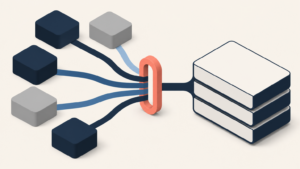
A single WordPress site can be protected with a sensible mix of updates, backups, 2FA, hardening, a firewall, monitoring and good operational habits. A portfolio of 20, 50 or 100 WordPress sites is different. It has to be operated.
That distinction matters for agencies. Security is no longer just about which plugin is installed on each website. It becomes a question of visibility, priority, ownership, evidence and client communication.
The useful question is not “does each site have a security plugin?”. The useful question is: if something changes today across your WordPress portfolio, how quickly will your team know what matters and what to do next?
Protecting one site is a technical task. Operating a portfolio is a system.
Protecting one WordPress site usually starts with concrete controls: core, plugin and theme updates; user reviews; 2FA; login protection; backups; basic hardening; and checking logs or alerts when something looks wrong.
Operating a WordPress portfolio means turning those controls into a repeatable workflow. It is not enough for every site to have “some security”. You need to know which sites are healthy, which ones need action, which alerts are noise, which clients are business-critical and what evidence you can show when someone asks.
Scale adds three problems that are easy to miss when you manage only one installation:
- Scattered visibility: every WordPress install has its own dashboard, plugins, warnings and exceptions.
- Unclear priority: a critical signal on an active ecommerce site is not the same as a minor warning on an old landing page.
- Operational accountability: when you manage clients, the question is not only “is it protected?”, but “who saw it, what was done and how can we prove it?”.
Why the plugin-by-plugin approach stops scaling
The WordPress ecosystem moves quickly. Wordfence reported that plugins accounted for 96% of vulnerable software disclosed in 2024. In its Q4 2025 threat intelligence report, Wordfence also highlighted 2,213 published vulnerabilities during the quarter and billions of blocked attacks in its telemetry.
The practical takeaway for an agency is not that every website is equally at risk all the time. That would be fear-based marketing, not useful security. The takeaway is that exposure changes constantly, and most teams do not fail because they cannot install a security plugin. They fail because they do not have a centralized operating model for seeing, deciding and acting.
A local plugin can help inside a site. But once your portfolio grows, you need portfolio-level answers:
- Which sites have not been checked this week?
- Where are suspicious login patterns or repeated attempts from specific IPs?
- Which installations have incomplete hardening?
- Which clients need immediate action and which issues can wait?
- What evidence can we include in a monthly report without overwhelming the client?
The real cost of finding out late
When an agency finds out about a security issue late, the cost is rarely just technical. There is a cost in trust, support time, non-billable hours and attention. A client usually does not ask about CVSS, CWE or attack vectors. They ask whether the site is okay, whether forms still work, whether sales were affected, whether data is exposed and what will prevent the same situation from happening again.
That is why WordPress security operations should give teams useful information before the client asks for it. Not to sell fear, but to reduce improvisation.
A mature agency does not need to promise “complete security”. It needs to demonstrate operational control: inventory, alerts, action, records and clear communication.
What good WordPress security operations look like
A good operating model does not have to be complex. It has to be visible and consistent. For a WordPress portfolio, a practical baseline usually has five layers.
1. A live inventory
A spreadsheet created at the start of a contract is not enough. The inventory should show which sites exist, how important they are, who owns them and which baseline controls are active. Without a live inventory, everything becomes reactive.
2. Centralized alerts
Alerts should arrive somewhere a team can compare them. One alert may look important in isolation. Twenty alerts without context become noise. The value is in centralizing and prioritizing.
3. Verifiable hardening
Controls like limiting XML-RPC, protecting login, reviewing users, reducing enumeration and checking permissions are not flashy. But they are the hygiene that prevents avoidable problems. The important part is knowing where those measures are active and where they are missing.
4. Repeatable response
When a suspicious signal appears, the team should know what to check: user activity, suspicious IPs, recent changes, plugin updates, visible errors, forms, checkout, logs and backups. Without a routine, every incident starts from zero.
5. Reporting clients can understand
Clients do not need a stream of technical jargon. They need to know what was monitored, what was fixed, what remains open and what risk was reduced. Security can be sold as peace of mind only when it is backed by evidence.
Where Vulnity fits
Vulnity is built for teams that manage WordPress security across multiple sites and need to move beyond logging into each installation one by one. Its value is not a promise that one tool removes every risk. That would not be honest.
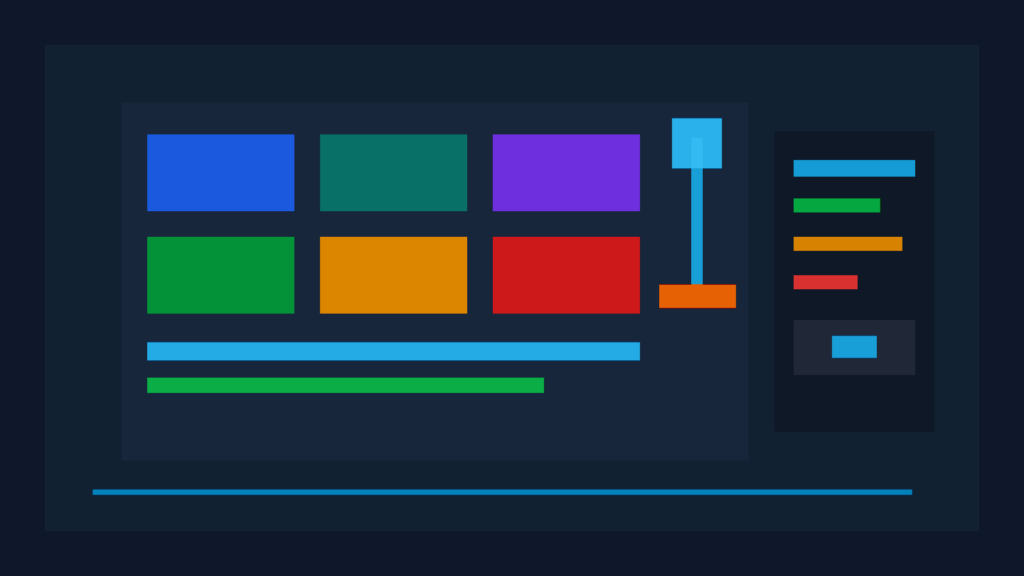
The value is centralized visibility, alerts and operational action: seeing site status, reviewing hardening, spotting suspicious activity, blocking malicious IPs when relevant and preparing clearer conversations with clients or internal stakeholders.
In plain terms: less reliance on hoping everything is fine, and more ability to see what is happening.
Checklist: when you need operations, not just protection
- You manage enough WordPress sites that you cannot remember each status by heart.
- Alerts arrive through different channels and it is hard to know what is urgent.
- Monthly reports take too long or become too technical.
- You only review some sites when a client reports a problem.
- You struggle to show which security measures are active on each installation.
- You want to sell maintenance with more value than “we update plugins”.
If several of those points sound familiar, you probably do not need another reminder to update WordPress. You need a better way to operate security across your portfolio.
Conclusion
Protecting one WordPress site matters. But for an agency, the real step forward is operating security as a continuous process: centralized visibility, clear priorities, recorded actions and communication clients can understand.
That is where Vulnity makes sense: helping WordPress agencies see earlier, respond better and turn security maintenance into something demonstrable instead of a vague promise.
CTA: If you manage several WordPress sites and want to know which ones need attention before a client messages you, try Vulnity as a centralized visibility panel for your portfolio.
Sources
- Wordfence: 2024 Annual WordPress Security Report
- Wordfence: Quarterly WordPress Threat Intelligence Report Q4 2025
- WordPress.org: WordPress Security

About Vulnity
If you manage WordPress sites, alerts like this become urgent operational work. Vulnity helps centralize visibility, review hardening, and react faster across your sites.