Summary
A WAF helps at the perimeter, but WordPress agencies also need internal signals: users, hardening, suspicious activity, changes and reporting.
A WAF can be a valuable part of a WordPress security stack. It can filter traffic, reduce noise, block known patterns and buy time during broad exploitation waves. The problem starts when an agency sells it as the layer that sees everything.
In WordPress, many important signals do not look like an attack from the outside. They look like normal activity: a valid login, a new admin user, a plugin change, an authenticated request, a form using an allowed route or a hardening setting that quietly changed. A WAF can help at the perimeter, but it does not replace visibility inside the site.
For an agency maintaining many WordPress sites, that distinction changes the client conversation. It is not WAF versus internal monitoring. It is about understanding that each layer sees a different part of the risk.
What a WAF sees well
A WAF works close to the edge: HTTP requests, reputation, patterns, rules, origins, routes and payloads. Properly configured, it can reduce brute force attempts, known payloads, automated scans and clearly malicious traffic.
It can also help when a known vulnerability has a clear exploitation pattern. In those cases, blocking patterns while the team patches or mitigates can reduce exposure.
But that usefulness does not make the WAF a complete source of truth. The perimeter sees requests. WordPress lives inside: users, roles, plugins, themes, options, cron jobs, files, permissions, forms, sessions and changes.
What a WAF may not understand
OWASP describes business logic vulnerabilities as abuse of legitimate application flows. That idea maps well to WordPress: not every abuse arrives as an obvious attack string.
Practical examples include:
- Authenticated actions: a request may look valid because it comes from a logged-in user, even when the action is unusual.
- Broken access control: the issue may be a permission check inside a plugin, not a suspicious URL.
- State changes: user creation, plugin activation, option changes or weakened hardening settings may not look malicious at the HTTP layer.
- Portfolio context: one event on one site may be noise; the same pattern across ten sites may be an operational signal.
A WAF may block some of this when it has specific rules or deep integration. But an agency should not promise that the WAF will see everything happening inside WordPress. That promise creates false confidence.
Why this matters more across WordPress portfolios
Patchstack places most new WordPress vulnerabilities in plugins and themes rather than core. Wordfence also publishes recurring reports showing high vulnerability volume across extensions in the ecosystem. That reality forces teams to look beyond traffic: inventory, changes, exposure, users, updates, hardening and post-change signals.
On one site, someone can log in, check the dashboard, review logs and do a manual pass. Across 30, 50 or 100 sites, that model breaks. The question is no longer “do we have a WAF?”. The question is: “if something changes inside an installation, how do we know and how do we prioritize it?”.
Internal signals an agency should watch
Without promising total detection, there are operational signals that help teams act earlier and communicate better:
- New administrator users or unexpected role changes.
- Repeated, failed or unusual login activity.
- Weakened hardening posture: XML-RPC, user enumeration, exposed login or sensitive paths.
- Plugins or themes installed, activated, deactivated or left outdated.
- Repeated malicious IP patterns that should be blocked when appropriate.
- Events that require client communication: action taken, decision pending or accepted risk.
The official WordPress hardening guidance reinforces an important idea: security is not about perfectly secure systems. It is about reducing attack surface, limiting damage, keeping software updated, controlling access, protecting sensitive files, monitoring and having backups that can actually be restored.
How to explain this to clients without sounding defensive
The honest message is not “your WAF is useless”. That would be false and unprofessional. A better message is: “the WAF helps at the perimeter; we also need signals inside WordPress to operate security”.
An agency could say:
We use complementary layers. The WAF reduces attacks and malicious traffic before they reach the site. Internal monitoring helps us see changes, suspicious activity, hardening posture and events that only exist inside WordPress. That gives us better context to prioritize, act and report.
That does not overpromise. It shows judgment.
Where Vulnity fits
Vulnity does not replace a WAF, good hosting, backups or advanced incident response. It should not be sold as a tool that detects every CVE in plugins, themes or WordPress core.
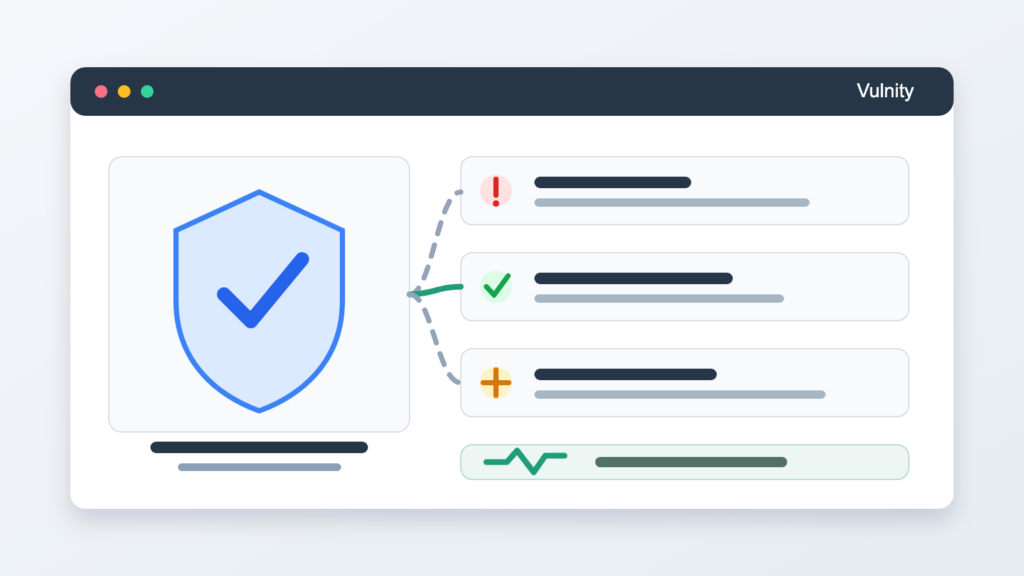
Its value is operational: it gives WordPress agencies and teams a centralized layer to see signals across multiple sites, review hardening posture, receive alerts, detect suspicious activity, block malicious IPs when appropriate and turn technical actions into understandable reporting.
In short: a WAF can help reduce what gets in. Vulnity helps teams understand what is happening inside and avoid opening every WordPress site one by one.
Anti-overclaim checklist for agencies
- Do not say the WAF detects everything happening in WordPress.
- Do not promise that one tool will prevent every incident.
- Do not claim automatic CVE detection if that feature does not exist.
- Separate blocked traffic, reviewed alert, applied action and resolved risk.
- Explain security as layers: perimeter, hardening, access, backups, monitoring and communication.
- Report evidence the client can understand, not just technical terms.
The real advantage: fewer blind spots
An agency does not build credibility by promising to see everything. It builds credibility by understanding the limits of each layer and creating a process that reduces blind spots.
The WAF is one layer. WordPress needs another: internal visibility, portfolio context and a clear path from signal to action. For teams maintaining many sites, that difference can decide whether they hear about a problem from their own alert or from an uncomfortable client email.
CTA: If your WordPress sites already use a WAF or managed hosting, Vulnity can add the operational layer that is still missing: internal signals, alerts, hardening and centralized reporting so your team works with more context and less improvisation.
Sources consulted: Patchstack State of WordPress Security in 2026; Wordfence Quarterly WordPress Threat Intelligence Report Q1 2026; WordPress Developer Handbook – Hardening WordPress; WordPress.org Security; OWASP Business Logic Vulnerability; CISA Known Exploited Vulnerabilities Catalog.

About Vulnity
If you manage WordPress sites, alerts like this become urgent operational work. Vulnity helps centralize visibility, review hardening, and react faster across your sites.