Summary
How to define a realistic WordPress security SLA for agencies: review windows, triage, communication and reporting without promising total security.
A WordPress security SLA should not promise that incidents will never happen. That promise is not credible, not measurable, and usually breaks at the exact moment a client needs clarity most.
For an agency maintaining many sites, a useful SLA should promise something else: visibility, review windows, prioritization criteria, documented response and communication. In other words, an operational commitment the team can actually honor when several issues compete for attention.
This matters because WordPress risk does not live only in core. WordPress maintains a public security posture and recommends keeping core, themes and plugins updated, applying hardening and reducing attack surface. But in real portfolios, much of the daily work sits in the ecosystem: plugins, themes, users, forms, login activity, configuration, backups, permissions and signals that appear after a change.
Why WordPress security SLAs often fail
Many agencies start by selling “maintenance” as a broad bucket: updates, backups, small changes and support. The problem begins when the client interprets that bucket as a complete security guarantee.
Then an alert appears, an actively exploited vulnerability is reported, login attempts spike or a suspicious account shows up. If the agency has not defined what it reviews, how quickly, with what evidence and how it communicates, the conversation becomes defensive.
A weak SLA usually fails for three reasons:
- It promises outcomes the agency cannot control: for example, “secure site” or “no hacks”.
- It does not define observable signals: nobody knows what triggers urgent review.
- It does not separate severity from anxiety: everything feels critical when the client calls first.
What an agency can promise without lying
A defensible SLA does not eliminate risk. It reduces it, orders it and makes previously invisible work visible.
These commitments are usually more realistic:
1. Operational detection window
This does not mean detecting every CVE or every possible attack. It means reviewing relevant signals within a defined window: suspicious activity, access attempts, unexpected changes, weakened hardening, new users, errors or available security alerts.
Example: “Critical operational security alerts are reviewed during business hours within X hours.”
2. Triage window
Triage answers a practical question: which sites need action first. An agency can prioritize by public exposure, client criticality, business impact, authentication requirements, evidence of exploitation and ease of mitigation.
Sources such as CISA KEV help distinguish known exploited vulnerabilities from generic noise. Recent Wordfence and Patchstack reporting also reinforces that plugins and themes account for a large share of vulnerability volume in the WordPress ecosystem. But the SLA should not say “we detect everything”; it should say how the agency decides what enters the queue first.
3. Action or mitigation window
Not every action is an update. Sometimes the first response is disabling a feature, blocking malicious IPs when applicable, strengthening access, reviewing users, isolating a site, restoring a backup, asking the client for approval or escalating to hosting.
A good SLA separates “review started”, “action applied” and “resolution confirmed”. That distinction prevents impossible promises and improves communication.
4. Evidence and reporting
The client does not always need every technical detail, but they do need to understand what was reviewed and what was done. A short report can include date, affected site, detected signal, likely impact, action taken, current status and recommendation.
This turns security into a visible recurring service. Without evidence, the client only sees cost. With evidence, they see judgment.
A simple severity matrix
Before writing the SLA, define how the agency classifies events. A simple matrix is often enough:
- Critical: signs of compromise, unauthorized administrator creation, active malware, known exploitation against a present component or direct impact on payments, data or reputation.
- High: relevant vulnerability in an installed plugin or theme, public exposure, unpatched component, repeated anomalous activity or broken hardening on an important site.
- Medium: weak configuration, elevated login attempts, outdated plugin with no known exploitation or changes that require review.
- Low: preventive improvements, inventory cleanup, permission adjustments, gradual hardening or non-urgent recommendations.
The point is not to build a perfect taxonomy. The point is that the team uses the same criteria every week.
Example of a realistic WordPress agency SLA
An agency could frame it like this:
- Centralized monitoring of operational security signals for included sites.
- Critical alert review within 4 business hours.
- High event triage by the next business day.
- Corrective actions applied according to contracted scope and client permissions.
- Client communication when there is impact, required action or risk that cannot be resolved without approval.
- Monthly reporting with relevant activity, applied actions and recommendations.
This copy is less spectacular than “we lock down your WordPress”. That is exactly why it is better. It can be honored, measured and defended.
Where Vulnity fits
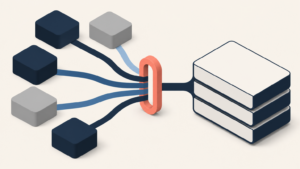
Vulnity helps that SLA stop depending on memory, spreadsheets and manual site-by-site checks. Its value is centralized visibility for teams operating multiple WordPress sites: alerts, suspicious activity signals, hardening status, automatic blocking of malicious IPs when applicable and reporting that turns technical actions into client-friendly evidence.
It does not replace agency judgment, hosting, backups or advanced incident response. It should also not be sold as a tool that detects every plugin, theme or core vulnerability. Its role is narrower and more useful: provide an operational layer to see earlier, prioritize better and communicate with less improvisation.
Anti-overclaim checklist before selling the SLA
- Do not promise “total security”. Promise processes, windows and evidence.
- Do not say you detect every CVE if your tooling does not.
- Define what happens outside business hours and what costs extra.
- Separate updates, mitigation, investigation and recovery.
- Include client responsibilities: access, approvals, hosting, licenses and backups.
- Report what matters in language the client can understand.
The sale is not fear. It is operational calm.
WordPress security becomes commercially sustainable when an agency stops selling calm as an abstract promise and starts selling a concrete way to operate.
A realistic SLA does not say “nothing will ever happen”. It says: “if something happens, we know where to look, how to prioritize, which actions to start and how to explain it.” For an agency with a growing portfolio, that difference can turn reactive maintenance into a recurring security service.
CTA: If you want to turn WordPress maintenance into a measurable security service, Vulnity gives you a centralized layer to start seeing signals, prioritizing actions and preparing reports without opening every site one by one.
Sources consulted: WordPress.org Security; WordPress Developer Handbook – Hardening WordPress; Wordfence Quarterly WordPress Threat Intelligence Report Q1 2026; Patchstack State of WordPress Security in 2026; CISA Known Exploited Vulnerabilities Catalog.
About Vulnity
If you manage WordPress sites, alerts like this become urgent operational work. Vulnity helps centralize visibility, review hardening, and react faster across your sites.