Summary
A practical multi-site workflow for collecting, correlating, investigating and closing suspicious WordPress login activity with defensible evidence.
Short answer: agencies should monitor suspicious WordPress logins with a layered workflow that combines authentication events from each site, perimeter or hosting context, a central investigation queue and retained evidence. The useful unit is not “failed logins”; it is an anomaly with enough context to decide whether to block, verify, escalate or close it.
This guide is for agencies, freelancers and managed WordPress teams responsible for multiple client websites. Vulnity publishes this article. The WordPress, OWASP and Wordfence documentation linked below is external evidence; the collect → enrich → correlate → assign → verify workflow is our editorial framework. No tool can prove that every account is safe when its event coverage, retention or site connectivity is incomplete.
Published and reviewed on August 17, 2026.
Start with the decision, not the alert count
A burst of failed logins may be routine internet noise, a password-spraying campaign, a legitimate user who forgot a password or the first visible sign of account takeover. One successful login may be more important than thousands of failures if it uses an administrator account from a new location immediately before a plugin installation or user-role change.
The official WordPress password guidance describes brute-force attempts using common username and password combinations and recommends strong, unique passwords and two-factor authentication. Those controls reduce risk, but prevention and monitoring answer different questions: a strong control may fail, be bypassed or not cover every account.
OWASP recommends logging authentication successes and failures, authorization failures, session-management failures and other higher-risk events in its Logging Cheat Sheet. It also warns against recording secrets such as passwords, access tokens and session identifiers directly in logs. That balance matters for agencies: an investigation needs identity, time, source and outcome—not a new repository of credentials.
Editorial judgement: a login-monitoring system is useful only when a person can move from an alert to a defensible action and later show why the case was closed. More notifications without ownership and context create delay, not visibility.
The four signal layers
| Layer | What it can contribute | What it may miss | Typical tools |
|---|---|---|---|
| WordPress security control | Failed-login patterns, lockouts, local blocking and some account activity. | Events outside the plugin’s scope, disabled/disconnected sites and historical context beyond retention. | Security plugins, login-protection plugins and site-specific controls. |
| Activity log | Successful logins, user or role changes, plugin changes and actions that give a login operational meaning. | Requests blocked before WordPress runs, hosting-level events and actions the logger does not instrument. | WordPress activity-log plugins and audited application events. |
| Perimeter and hosting | Source IP, request path, rate, user agent, geography hints and traffic blocked before WordPress. | The authenticated WordPress identity and what the user did after login. | CDN/WAF, reverse-proxy, web-server and managed-host logs. |
| Central operations | Portfolio coverage, cross-site correlation, one queue, ownership, escalation and reporting. | Anything the connected sources do not emit or retain; centralization cannot manufacture missing evidence. | Fleet-management consoles, SIEM workflows and multi-site security platforms. |
These layers overlap but are not interchangeable. For example, Wordfence Central officially supports an overview of connected sites, settings templates and notifications through email, SMS and Slack. That is materially different from reviewing every site separately, but an agency still needs to decide which events become cases, who owns them and what evidence closes them.
Five patterns worth investigating
| Pattern | Why it matters | Context to add before escalating |
|---|---|---|
| Success after repeated failures | The same account or source moves from unsuccessful attempts to access. | Was the user resetting a password? Is the source known? What happened immediately after login? |
| Privileged login from a new context | Administrator access has a larger blast radius than subscriber access. | Account owner, usual working pattern, MFA result, maintenance window and subsequent changes. |
| One source targets several client sites | A site-by-site view hides portfolio-wide password spraying or reconnaissance. | Number of sites, usernames tried, time window, perimeter blocks and whether any attempt succeeded. |
| One identity appears across unrelated sites | Reused credentials or shared administrative accounts can spread risk between clients. | Whether the account is intentionally shared, password uniqueness, role on each site and access owner. |
| Login followed by a sensitive change | The sequence may indicate impact even when the login itself looks normal. | New administrator, role change, plugin/theme install, configuration change, file modification or security-control disablement. |
Geolocation and “new device” labels are supporting context, not verdicts. VPNs, mobile networks, remote teams and dynamic IP addresses produce legitimate changes. Conversely, a familiar IP does not prove a login is benign. Build rules around combinations and sequences rather than one fragile indicator.
A portfolio workflow: collect, enrich, correlate, assign, verify
1. Collect known events from every in-scope site
Define the minimum event contract before choosing a dashboard. For each event, aim to preserve:
- site and client identifier;
- timestamp with a consistent time zone;
- authentication outcome;
- account identifier and role, where available;
- source IP or a privacy-safe reference to it;
- event source and source version;
- correlation or case identifier;
- the fact that a field was unavailable, rather than an invented default.
Track collection coverage separately. A site that stopped sending data yesterday is not quiet; it is unobserved. This distinction is essential when an agency promises portfolio-wide monitoring.
2. Enrich without collecting secrets
Add the context needed for a decision: account privilege, client/site criticality, expected maintenance window, previous activity, known agency IP ranges and relevant perimeter observations. Do not put passwords, session cookies, reset links, API keys or full tokens into the case record. OWASP’s logging guidance explicitly treats those values as data that should usually be removed, masked, hashed or encrypted rather than recorded directly.
3. Correlate across time and sites
Correlation is where portfolio monitoring becomes different from opening individual dashboards. Useful windows include:
- the same source across multiple client sites within 15 minutes;
- multiple usernames attempted on one site;
- a successful privileged login after a failure burst;
- a login followed by user, role, plugin or security-setting changes;
- a signal that appears while another collection layer is disconnected.
Thresholds should be tuned by site class. A membership site with public login has a different baseline from a brochure site with two administrators. One global threshold either overwhelms the team or hides relevant anomalies.
4. Assign an owner and a response clock
Every investigable case needs an owner, severity, next action and deadline. A practical triage model is:
| State | Meaning | Example action |
|---|---|---|
| Noise | Expected hostile traffic with no sign of access or material change. | Apply an approved rate-limit/blocking rule, record the pattern and watch for spread. |
| Anomaly | Unusual access that lacks enough context for a conclusion. | Verify with the account owner, compare sources and review subsequent activity. |
| Possible incident | Suspicious success, privilege use or related change creates credible impact. | Contain access, preserve evidence, rotate relevant credentials and start the incident procedure. |
| Coverage failure | A site or signal source is disconnected, stale or incomplete. | Restore telemetry and avoid marking the site clean during the evidence gap. |
5. Close with reproducible evidence
“No more alerts” is not an incident-closure test. Record what was checked, which sources were available, whether the user confirmed the activity, what changed, which credentials or sessions were invalidated and what residual uncertainty remains. If the event history is incomplete, say so.
How to evaluate a tool before portfolio rollout
| Criterion | Proof to request | Rejection signal |
|---|---|---|
| Coverage visibility | Last contact and event freshness for every in-scope site. | Disconnected sites look identical to sites with no suspicious activity. |
| Event provenance | Source, time, site, outcome and documented field definitions. | A severity label cannot be traced to an underlying observation. |
| Cross-site correlation | One source or identity can be followed across several sites and a defined window. | The “central” view is only a list of links back to local dashboards. |
| Workflow | Owner, status, notes, escalation and closure evidence survive beyond a notification. | Email is the only queue and nobody can show who handled an alert. |
| Retention and privacy | Documented retention, access control, deletion and treatment of sensitive fields. | The vendor cannot explain what login data is stored or for how long. |
| Response controls | Blocking or containment is scoped, reversible, logged and protected from accidental global action. | One noisy signal can trigger opaque portfolio-wide blocking with no rollback. |
A seven-day, three-site test
- Select a brochure site, a commerce or booking site and a membership/client-portal site.
- Document which login events each layer emits and how long each source retains them.
- Create a permitted test account with no unnecessary privilege.
- Generate failed logins, one normal success and one success followed by a harmless audited change.
- Confirm that each event reaches the central queue with the correct site, identity, time, outcome and source.
- Repeat one source pattern across two sites and test whether correlation produces one investigation rather than unrelated noise.
- Disconnect one source deliberately and verify that the dashboard reports a coverage failure—not “no threats.”
- Assign, investigate and close the cases with evidence; measure delay, false positives and missing fields.
Connect the test to your centralized WordPress alert workflow and your live portfolio inventory. Alerts need an operating queue; the queue needs a reliable list of sites and owners.
Where Vulnity fits—and where it does not
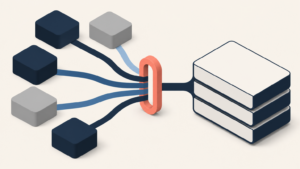
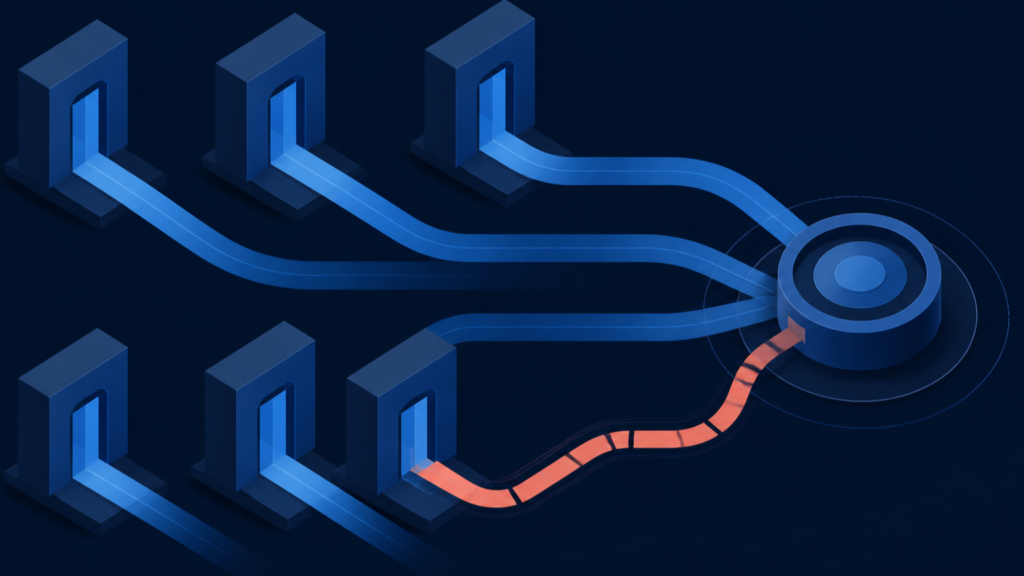
Vulnity helps agencies centralize WordPress security signals, suspicious activity, malicious-IP blocking when applicable, hardening and reporting across multiple sites. That supports portfolio coverage and a shared operating view without treating each client website as an isolated queue.
The limitations are important. Vulnity does not detect CVEs or identify vulnerable plugins, themes or WordPress core versions. It does not replace a WAF, malware scanner, identity provider, backup and restoration system, full forensic logging or an incident-response process. Its conclusions are limited by the events and sites it can observe.
Conclusion: monitor the sequence, not just the failure
Suspicious-login monitoring across a WordPress portfolio works when agencies can connect identity, source, time, site criticality and subsequent changes. The goal is not the largest alert count. It is a small, owned queue that distinguishes routine hostile traffic, investigable anomalies, possible incidents and missing coverage—and preserves enough evidence to justify the decision.
A failed-login counter shows activity. A portfolio workflow shows which event matters, who owns it and what evidence closes it.
See how Vulnity supports centralized WordPress security operations →

About Vulnity
If you manage WordPress sites, alerts like this become urgent operational work. Vulnity helps centralize visibility, review hardening, and react faster across your sites.