Summary
A neutral agency framework for choosing WordPress security reporting tools by evidence coverage, provenance, action state and client decisions.
Short answer: there is no universal “best” WordPress security reporting tool for an agency. Choose the tool that can prove the service you actually sell. A care-plan suite may be the right source for updates, backups and uptime; a self-hosted management stack may offer more control; a security-operations platform may be better when the report must explain alerts, hardening and response across a portfolio.
This guide is for agencies, freelancers and managed WordPress teams that need to choose a reporting workflow—not merely design a better PDF. Vulnity publishes this article. The product capabilities linked below come from each vendor’s official documentation; the report contract → evidence source → decision → verification model is our editorial framework. Features, plans and retention policies can change, so verify them in a bounded pilot before committing client contracts to any tool.
Published and reviewed on August 19, 2026.
Start with the report contract
A security report is useful only when the agency and client agree on what it is meant to demonstrate. “We sent a monthly PDF” is not a security outcome. Before comparing tools, define which of these jobs the report must perform:
| Report job | Evidence it needs | Decision it should enable |
|---|---|---|
| Website care summary | Updates, backups, uptime, performance and completed maintenance work. | Confirm that the contracted care plan was delivered. |
| Security operations review | Alerts, suspicious activity, blocks, hardening state, actions taken and unresolved cases. | Accept risk, approve remediation or escalate an investigation. |
| Executive client update | A small set of verified events, business impact, actions and next priorities. | Understand what changed without reading raw logs. |
| Audit or compliance support | Provenance, timestamps, ownership, retention, exceptions and reproducible records. | Test whether a control operated as claimed during a defined period. |
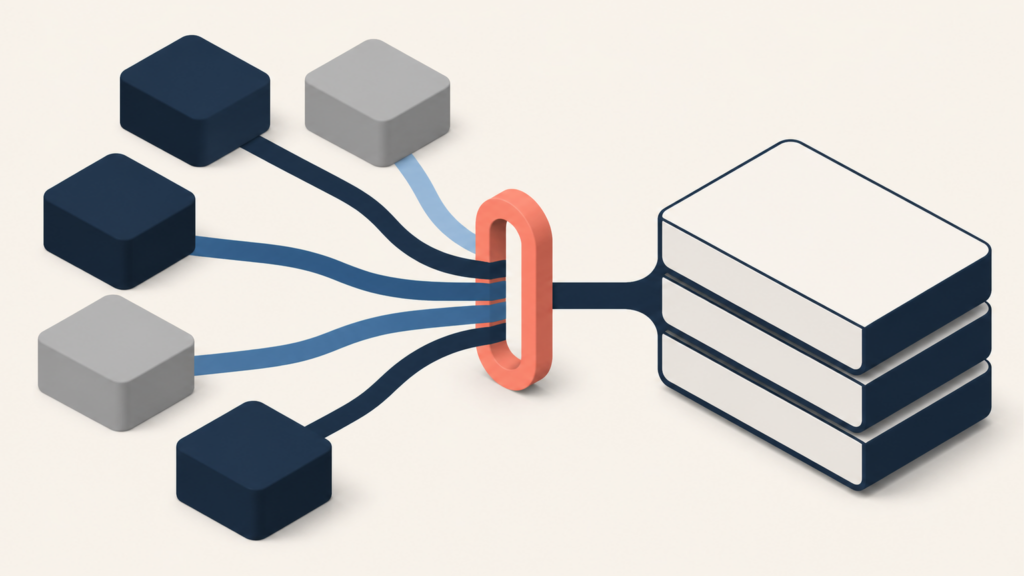
One tool can support more than one job, but no report becomes complete merely because it has more sections. The right question is: can every material statement be traced to a source, scope and period?
Four practical tool models for WordPress agencies
| Model | Best fit | Proof to request | Main limitation to test |
|---|---|---|---|
| Managed care platform | Agencies selling updates, backups, uptime, performance and recurring maintenance in one package. | Which enabled services feed each report section and what happens when one service has no data. | A polished report may combine many care metrics while offering limited incident workflow or evidence depth. |
| Self-hosted management and reporting | Teams that want greater control over the management plane, report templates and connected extensions. | Where the dashboard and report data live, which extensions supply each metric and how failures are exposed. | Operating the reporting stack and validating extension coverage remains the agency’s responsibility. |
| Security-operations platform | Agencies that need portfolio-wide security signals, hardening state, response actions and client-facing evidence. | Event provenance, site freshness, ownership, action history, unresolved items and report scope. | It may not replace broad care-plan reporting for SEO, performance, invoices, content work or every backup metric. |
| Custom data pipeline | Teams with unusual contracts, regulated clients or several systems that must feed one evidence model. | Schema, source ownership, transformation rules, access control, retention and reproducible generation. | Engineering and governance cost can exceed the value of customization. |
Editorial judgement: choose the narrowest model that can prove the contract. Buying a broad suite for one monthly security decision creates noise; forcing a security platform to become a complete business report creates gaps.
What the official product documentation establishes
ManageWP Client Report: broad care-plan reporting
The official ManageWP Client Report guide describes branded reports that can be scheduled and populated from ManageWP features such as backups, performance, uptime, Security Check, updates and analytics. That makes it a natural candidate when the client report represents a wider website-care agreement.
What the documentation does not decide for you is whether each enabled data source provides enough provenance for your security claims. During a pilot, check whether the report distinguishes “no event observed” from “service disabled, disconnected or outside the reporting period.”
MainWP Pro Reports: configurable reporting from a self-hosted management plane
The official MainWP Pro Reports page describes a customizable reporting engine and integrations with other MainWP extensions. This model can suit agencies that prefer to operate their own MainWP Dashboard and shape reports around their service stack.
The control comes with an evidence obligation. Record which extension generated each value, whether all in-scope child sites reported during the period and how missing extension data appears. Self-hosting a dashboard does not automatically make every report claim complete.
WPMU DEV Reports: scheduled reports inside an integrated suite
The official WPMU DEV Reports documentation says reports draw from active plugins and services and can cover updates, security, backups, performance, SEO, analytics and uptime. It also states that a site must be connected to The Hub for reporting to work and documents scheduled report delivery.
That connection dependency is useful test material: deliberately disconnect a non-production test site and verify whether the resulting report exposes the coverage failure clearly enough for an account manager and client to understand it.
Vulnity: reporting from centralized WordPress security operations
Vulnity centralizes WordPress security signals, alerts, hardening, reporting and malicious-IP blocking when applicable across multiple sites. It is a relevant model when the report must connect what was observed to what the agency reviewed or changed, rather than summarize an entire website-care contract.
This is first-party product scope, not an independent ranking. Vulnity does not detect CVEs or identify vulnerable plugins, themes or WordPress core. It does not replace a WAF, malware scanner, backup and restoration system, hosting telemetry, full forensic logging or every maintenance-reporting function.
The eight-point evidence contract
Product screenshots and sample PDFs are weak procurement evidence. Ask each shortlisted tool to pass the same eight checks.
| Criterion | Acceptable proof | Rejection signal |
|---|---|---|
| Portfolio scope | The report lists every in-scope site and reporting period. | Sites can disappear from the report without an explicit exclusion. |
| Coverage freshness | Last contact or data freshness is visible for each source and site. | A disconnected site appears as “no issues.” |
| Data provenance | Each material metric identifies its source, time window and definition. | A risk score or event count cannot be traced to an observation. |
| Action state | Open, reviewed, blocked, escalated, accepted and resolved are distinct states. | The report lists alerts but cannot show what the agency did. |
| Human context | An owner can add impact, uncertainty, client decisions and next steps. | Automation produces a confident conclusion from incomplete telemetry. |
| Repeatability | The same period and filters produce the same report or a documented revision. | Past reports change silently when live data or templates change. |
| Privacy and access | Roles, retention, deletion and treatment of sensitive fields are documented. | Reports expose secrets, excessive personal data or unrelated client information. |
| Delivery evidence | The agency can verify generation, recipient, version and delivery status. | “Scheduled” is treated as proof that a client received and reviewed it. |
OWASP’s Logging Cheat Sheet supports two important principles behind this contract: application events can provide context unavailable to infrastructure logs, and event data from different trust zones has different confidence. It also warns against recording secrets such as passwords, access tokens and session identifiers directly. A client report needs enough evidence for a decision, not a copy of every sensitive log field.
A reversible seven-day pilot
- Select three representative sites: one brochure site, one commerce or booking site and one membership or client portal.
- Write the report contract: list the exact claims the monthly report must support, the source for each claim and the person who owns it.
- Record the baseline: connected services, last contact, enabled modules, retention and known evidence gaps.
- Generate permitted test events: complete an update, verify a backup, create a harmless failed-login pattern and record one approved hardening change.
- Create one coverage failure: disconnect a test integration or pause one source, then verify that the report says “data unavailable” rather than “zero events.”
- Trace five statements: for each report claim, find the source event, site, timestamp, scope and action owner.
- Send to an internal reviewer: ask them to identify what happened, what the agency did, what remains open and what decision the client must make.
- Restore the test state: reconnect the source, remove test accounts or events where appropriate and document the final coverage status.
Score each tool on missing fields, time to investigate, manual editing required, coverage failures detected and decisions the reviewer could make without opening another dashboard. Do not score visual polish until the evidence contract passes.
How this differs from report design advice
Two existing WSN guides cover the communication layer: what a client can actually understand in a WordPress security report and how to structure a recurring monthly report. Those pages help decide what to communicate and how to present it.
This article answers the earlier procurement question: which tool can produce the underlying evidence reliably for your agency’s contract? Use the evidence contract first; then apply the client-facing structure. A concise report built on missing or untraceable data is still a bad report.
Conclusion: choose the evidence system, not the prettiest PDF
The right WordPress security reporting tool is the one that matches the service boundary, exposes missing coverage, preserves provenance and turns observations into owned client decisions. ManageWP, MainWP and WPMU DEV document different reporting strengths inside their respective management models. Vulnity fits the narrower security-operations case. A custom pipeline is justified only when its control and evidence value exceed its operating cost.
No selection should rest on a feature list alone. Run the same three-site test, force one coverage failure and trace every material statement back to its source. The tool that makes uncertainty visible is usually more trustworthy than the one that produces the most confident PDF.
A client report is not a decoration layer. It is a contract between portfolio scope, evidence, action and decision.
See how Vulnity supports centralized WordPress security operations and reporting →

About Vulnity
Keeping WordPress secure requires continuous operational visibility. Vulnity helps monitor suspicious activity, alert on relevant changes, and keep response evidence in one place.